
Flight prices rarely move in a predictable straight line.
A ticket might cost $420 in the morning, jump to $510 that evening, fall to $390 two days later, and then rise permanently as the departure date gets closer. Airlines adjust fares based on demand, seat availability, route competition, travel season, booking class, and dozens of other factors that travellers cannot see.
That is why manually checking the same flight every day is a poor strategy.
The best flight price tracker tools monitor fares for you and send an alert when something changes. Some track a specific route and travel date. Others search hundreds of destinations from your chosen airport and notify you when they find an unusually cheap fare.
Those are not the same service.
Google Flights is excellent when you already know where and when you want to travel. Going works better when you are flexible and want great deals to find you. Hopper tries to predict whether you should book now or wait. KAYAK combines alerts with a short-term price forecast.
Here’s the truth about airfare tracking: no tool can guarantee that a fare will fall after you decide to wait.
Price predictions are based on current and historical data. They are useful signals, not promises. An airline can remove a fare class, reduce capacity, change a schedule, or experience a sudden rush of bookings without warning.
A good tracker should therefore do two things:
- Notify you quickly when the price changes
- Help you judge whether the current fare is reasonable
This guide covers the 8 best flight price tracker tools, including free trackers, mobile apps, and paid deal-alert services. Each one is judged on how well it monitors fares, how useful its alerts are, and what type of traveller should use it.
How I Selected the Best Flight Price Tracker Tools
A price alert is only useful when it reaches you early enough to act.
Some trackers send a notification whenever the fare moves by a small amount. That sounds helpful, but it can create a stream of alerts that provide little real value. Others wait for a significant drop, which reduces noise but may miss short-lived deals.
I judged each tool using the following areas.
1. Tracking Accuracy
The tracker should reflect fares that are actually available.
Flight prices can become outdated quickly, especially when a deal appears through a third-party booking agency. A useful alert should lead to a fare that is still bookable or at least provide enough information to find it elsewhere.
No tracker will achieve perfect accuracy, but constant dead links and expired prices are a serious weakness.
2. Alert Speed
Some of the best fares last for only a few hours.
Push notifications are usually more useful than email alone because travellers are more likely to see them immediately. I also considered whether alerts clearly show the route, dates, airline, and price without forcing users to repeat the entire search.
3. Flexible Tracking
Travellers do not always have fixed plans.
The strongest tools let you monitor flexible dates, several airports, nearby destinations, or an entire region. This matters because the best deal may involve leaving one day earlier or using an airport two hours away.
4. Price Guidance
An alert tells you that the fare changed. A price forecast tries to explain what you should do next.
Tools such as KAYAK and Hopper analyse fare patterns and provide a recommendation to book or wait. These predictions are never certain, but they can help travellers who have no idea whether the current price is high or low.
5. Booking Quality
A cheap fare is not automatically a good deal.
I considered whether the tracker directs travellers to the airline or promotes unfamiliar online travel agencies. Booking directly with an airline is usually easier to manage when a flight is cancelled or rescheduled.
1. Google Flights: Best Overall Flight Price Tracker
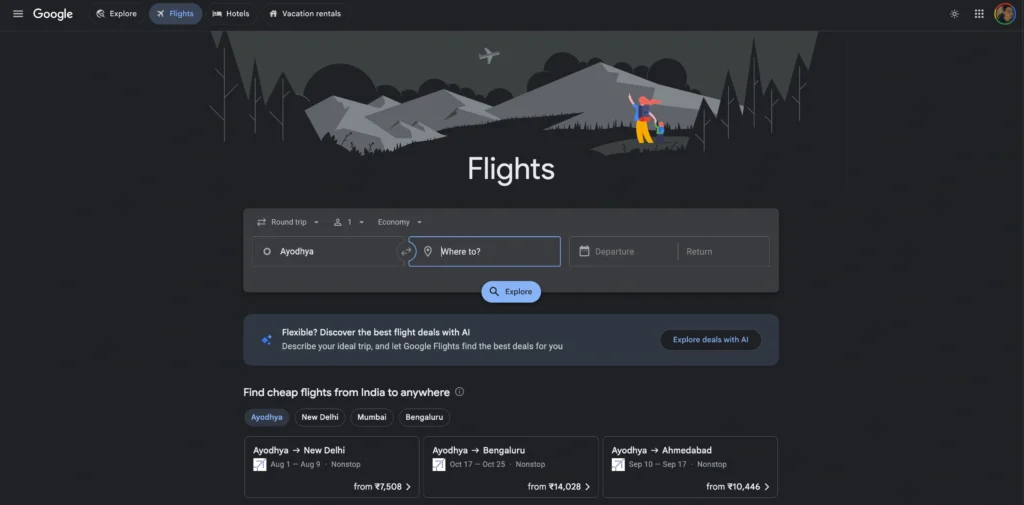
Google Flights is the best flight price tracker for most travellers.
It is free, fast, and built directly into one of the strongest flight search engines available. You can monitor a general route, specific dates, or an exact flight itinerary.
Once tracking is enabled, Google sends notifications when the fare changes. It may also alert you when prices are likely to rise or when a fare is significantly lower than normal for the route.
Google Flights works particularly well because you can research the trip and set up tracking in the same place. There is no need to install a separate travel app or subscribe to a paid membership.
Best for
- Travellers with a specific destination
- Fixed-date trips
- Flexible-date searches
- International flights
- People who prefer booking directly with airlines
The Standout Feature
Google Flights lets you track either the whole route or one exact itinerary.
Tracking a route is useful when you care mainly about getting from one city to another. Google can monitor a wider selection of airlines and schedules for the chosen dates.
Tracking an exact itinerary is better when you have already identified the flight you want. For example, you might want a particular nonstop departure because it fits your work schedule.
The date calendar and price graph also help you judge whether changing your trip by one or two days could save money.
Google Flights displays price insights during searches, including whether fares appear low, typical, or high compared with usual levels. These signals provide context that a basic price-drop notification cannot.
The Catch
Google Flights reacts to fare changes, but it does not reliably find every mistake fare or short-lived flash sale.
It also does not cover every airline and third-party booking provider. Some low-cost carriers and regional operators may be missing or have incomplete pricing.
Google usually does not sell the ticket. After receiving an alert, you complete the purchase with an airline or travel agency. That company becomes responsible for the reservation.
Alerts can also create hesitation. A traveller may see several small price movements and continue waiting for a dramatic drop that never arrives.
Pros
- Completely free
- Fast and simple setup
- Tracks routes or exact flights
- Email and account notifications
- Excellent flexible-date tools
- Useful historical price context
- Often links directly to the airline
Cons
- Does not cover every airline
- May miss brief mistake fares
- Usually does not manage the booking
- Small price changes can create alert fatigue
- Price guidance is not a guarantee
Price/Value Rating: 9.7/10
Pick Google Flights when you know your destination and approximate travel dates. It offers the best balance of tracking, search flexibility, and ease of use without charging a membership fee.
2. Skyscanner: Best for Tracking Across Airlines and Travel Agencies
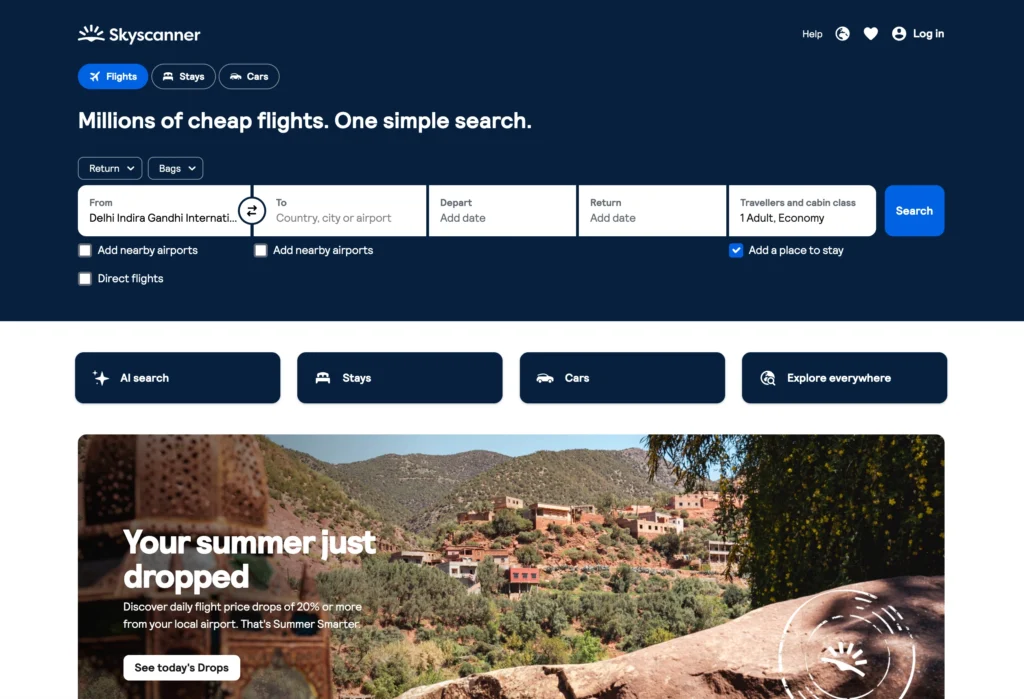
Skyscanner is one of the strongest alternatives to Google Flights.
It compares prices from airlines and online travel agencies, which can help it uncover fares that do not appear in every Google Flights search. After choosing a route and date, you can create a price alert and receive notifications when the fare changes.
Saving a flight can automatically activate tracking, and users can also turn on alerts manually. Skyscanner provides updates through email or app notifications.
Its flexible-date and Everywhere search tools make it particularly useful for travellers who have not finalised every part of their trip.
Best for
- Budget travellers
- Flexible holiday planning
- People comparing third-party agencies
- Backpackers
- Travellers interested in low-cost carriers
The Standout Feature
Skyscanner combines flight tracking with broad provider coverage.
The tool does not limit its results to airline websites. It also compares fares from a wide range of travel agencies.
That can produce lower prices, particularly on international routes where agencies may have private fares or different currency-based pricing.
The Saved feature lets users organise interesting flights and hotels into trip lists. This is helpful when comparing several destinations or possible travel dates.
Its mobile app is also well suited to tracking. Push alerts are easier to act on than emails that may sit unnoticed for several hours.
The Catch
The cheapest alert may lead to a booking provider you do not recognise.
Skyscanner is a comparison platform. The agency or airline shown in the final result controls the booking, payment, changes, and refunds.
A low fare from a small agency may come with strict support policies or extra charges during checkout. Saving $15 may not be worth the risk of poor assistance during a cancellation.
Skyscanner’s flexible calendar can also display estimated or recently found fares. When you open the result, the live price may be higher.
Pros
- Free price alerts
- Broad airline and agency coverage
- Email and push notifications
- Useful Saved trip lists
- Strong flexible-date search
- Includes many budget-airline options
- Good mobile experience
Cons
- Final provider quality varies
- Alert price may change at checkout
- Some calendar fares are estimates
- Baggage costs are not always included
- Customer support comes from the booking provider
Price/Value Rating: 9.3/10
Pick Skyscanner when you want to monitor a wider range of airlines and agencies. Always compare the alerted fare with the airline’s direct website before paying.
3. KAYAK: Best for Price Forecasts and Advanced Tracking
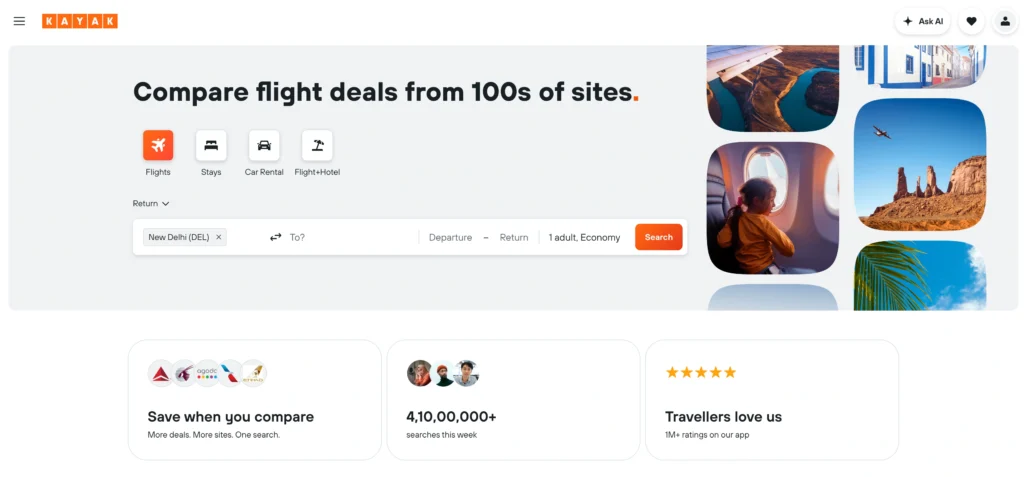
KAYAK does more than notify users when a fare changes.
Its Price Forecast tool analyses historical data and estimates whether the fare is likely to rise or fall within the next seven days. The search page may display a simple recommendation such as “buy now” or “wait.”
You can also create a standard Price Alert to receive updates when fares move.
This combination makes KAYAK one of the best flight price tracker tools for travellers who want both notifications and guidance.
Best for
- Travellers unsure when to book
- Complex international routes
- Advanced flight shoppers
- People monitoring several airports
- Users who want detailed search filters
The Standout Feature
KAYAK combines automatic alerts with a short-term price prediction.
A normal tracker tells you that the fare has fallen from $500 to $460. KAYAK attempts to indicate whether waiting could produce another drop or whether the current price is worth booking.
The forecast appears on many flight search pages when KAYAK has enough data to form an estimate. You do not need to create an alert merely to view the forecast, although an account is generally required for ongoing notifications.
KAYAK also offers detailed filters for airlines, airports, stops, times, cabin classes, baggage, and trip duration. That allows you to track a more practical itinerary rather than simply the cheapest possible combination.
The Catch
The Price Forecast covers a short period and cannot predict sudden airline decisions.
A “wait” recommendation might be correct based on historical patterns but wrong for the current flight. A group booking, event announcement, airline schedule change, or reduction in available seats could push the fare higher.
KAYAK also compares third-party agencies. As with Skyscanner, the cheapest result may not offer the best support.
Its interface can feel crowded for casual travellers. There are many filters, comparison options, warnings, and fare combinations competing for attention.
Pros
- Free flight price alerts
- Seven-day Price Forecast
- Book-or-wait guidance
- Detailed search filters
- Flexible airport selection
- Strong international coverage
- Useful for complex itineraries
Cons
- Forecasts can be wrong
- Interface feels busy
- Cheapest providers may be unfamiliar
- Predictions focus on the near term
- Separate-ticket results may carry extra risk
Price/Value Rating: 9.2/10
Pick KAYAK when you want more information than a basic price-change alert. Use the forecast as one piece of evidence, not as a guarantee that waiting will save money.
4. Hopper: Best Mobile App for Book-or-Wait Predictions
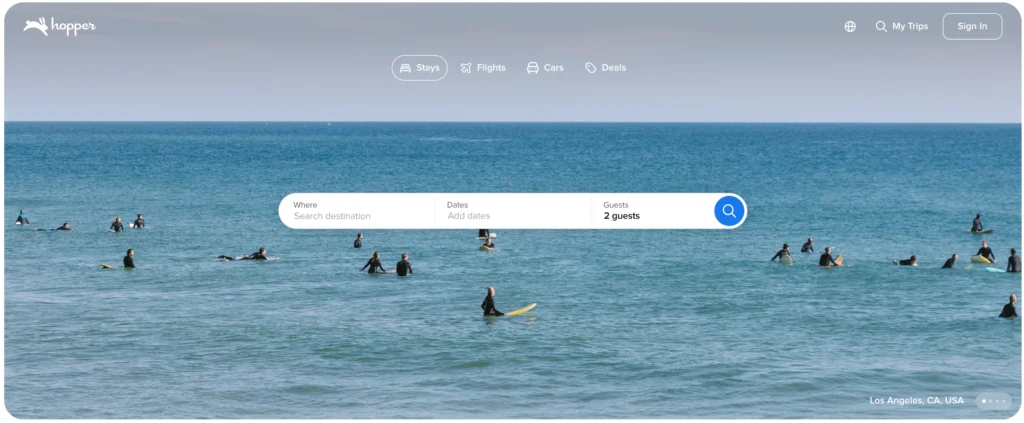
Hopper is designed around one question: should you book the flight now or wait?
The app watches fare movements and provides a recommendation based on its price-prediction system. Users can follow a trip and receive notifications when Hopper believes the booking window has become more favourable.
Its colour-coded calendar also highlights cheaper and more expensive travel dates.
Hopper offers Price Freeze on eligible searches, allowing users to hold a displayed fare for a period by paying a fee. The exact duration, coverage, and conditions vary by itinerary.
Best for
- Mobile-first travellers
- People booking leisure trips
- Travellers with flexible dates
- Users who want simple booking guidance
- Groups waiting for plans to be confirmed
The Standout Feature
Hopper turns complex fare data into a simple recommendation.
Instead of displaying several graphs and asking users to interpret them, the app usually tells them to book or wait.
This makes it approachable for people who do not want to study airfare patterns.
Price Freeze can also be helpful when you have found a good fare but need time to confirm annual leave, speak with a travel companion, or finalise accommodation.
If the fare rises during the valid freeze period, Hopper may cover the increase within the specific product limits. Travellers must read the terms carefully because Price Freeze is not an unrestricted guarantee.
The Catch
Hopper’s predictions can still be wrong.
A recommendation to wait may lead to a higher price. A recommendation to book may be followed by a fare drop. The app is analysing probability, not seeing the airline’s future inventory decisions.
Price Freeze is not free. The fee may not be refunded or credited toward the booking, depending on the terms shown for the offer.
Hopper also sells the ticket in many cases, making it another party between you and the airline. Changes and refunds can therefore be less direct than booking with the carrier.
Optional flexibility products can make the final cost less competitive than the headline fare.
Pros
- Clear book-or-wait recommendations
- Useful push notifications
- Colour-coded fare calendar
- Price Freeze on eligible flights
- Easy mobile interface
- Good for flexible leisure trips
- Reduces manual checking
Cons
- Predictions are not guaranteed
- Price Freeze costs extra
- Mainly focused on the app
- Add-ons can increase the final price
- Third-party booking may complicate support
Price/Value Rating: 8.9/10
Pick Hopper when you want a mobile app to guide your booking decision. Compare the final price and conditions with the airline before completing the purchase.
5. Going: Best for Curated Cheap-Flight and Mistake-Fare Alerts

Going, formerly known as Scott’s Cheap Flights, operates differently from a standard flight price tracker.
Google Flights and KAYAK usually monitor a route you choose. Going searches for unusually cheap fares and sends alerts based on your selected departure airports and travel preferences.
The service focuses on deals that pass its internal quality checks rather than notifying users about every minor price change.
Going offers a free Limited tier and paid memberships with wider domestic, international, mistake-fare, points, and premium-cabin coverage. The service is currently centred on travellers departing from airports in the United States.
Best for
- Travellers based in the United States
- Flexible holiday planners
- People open to unexpected destinations
- Mistake-fare hunters
- Premium-cabin deal seekers
The Standout Feature
Going alerts you to exceptional fares you may never think to search for yourself.
You select one or more departure airports, and the service watches for strong deals. When it finds one, it sends an email or app notification with available dates, route information, and instructions for booking.
Going is not a travel agency. It generally directs members to book the fare with the airline or through an established search platform.
Paid tiers can include international economy deals, custom destination alerts, mistake fares, points-and-miles opportunities, and premium-cabin offers.
This makes Going especially useful for people who care more about finding an excellent fare than travelling to one fixed destination.
The Catch
Going is much less useful outside the United States.
Its core deal-alert system is based around US departure airports. Travellers based in India, Europe, Australia, or other markets should confirm whether the service supports their location before paying for membership.
It is also not the best tool for a fixed wedding, conference, or family trip. You may need a flight to one city on exact dates, while Going’s strongest deal could be for a different destination three months later.
The best alerts can disappear quickly. Receiving a great deal does not help when you cannot make a booking decision for several days.
Pros
- Human-reviewed and curated flight deals
- Mistake-fare alerts
- Free and paid membership options
- Custom destination tracking on eligible plans
- International and premium-cabin deals
- Direct-airline booking guidance
- Strong for flexible US travellers
Cons
- Mainly focused on US departure airports
- Best features require payment
- Less useful for fixed-date trips
- Deals may disappear quickly
- Alerts can tempt users into unplanned travel
Price/Value Rating: 9.0/10 for US travellers
Pick Going when you are based in the United States and flexible about where or when you travel. For a fixed international trip, Google Flights and KAYAK provide more precise tracking.
6. Airfarewatchdog: Best for Tracking Specific Routes and Departure Airports

Airfarewatchdog combines two types of flight alerts.
You can track a specific journey between two airports, or follow general deals leaving from your preferred departure airport. This makes it useful for both fixed travel plans and spontaneous trips.
The free service lets users select home airports, choose destinations, and receive alerts when lower fares appear. Route alerts can be delivered several times per week, depending on the selected preferences.
Airfarewatchdog also publishes airfare guidance, baggage-fee information, and destination deals. It is less polished than Google Flights, but the combination of route tracking and curated deal discovery gives it a clear purpose.
Best for
- Travellers based in the United States
- People monitoring several possible destinations
- Users who prefer email alerts
- Weekend-trip planners
- Travellers who want curated deals and route tracking
The Standout Feature
Airfarewatchdog can monitor both exact routes and general deals from your home airport.
This flexibility is useful when you have one confirmed trip but are also open to another holiday.
For example, you could track New York to Rome for a specific journey while receiving broader alerts for discounted flights leaving from New York.
The free plan is enough for occasional travellers who want basic fare monitoring. A Premium membership adds international and premium-cabin deal coverage, airline and cabin filters, more personalised alerts, and an ad-free experience. Airfarewatchdog currently lists Premium at $79 per year.
The Catch
Airfarewatchdog is primarily an alert and discovery service, not a complete booking platform.
When you select a deal, you may be sent to an airline, travel search engine, or online agency. That provider controls the reservation and customer support.
The service is also most useful for travellers using US and nearby departure airports. Its value becomes more limited for people based in India, Southeast Asia, Africa, or smaller international markets.
Email delivery can be another weakness. A strong fare may disappear before you notice the message, especially when it arrives during work hours or overnight.
Pros
- Free route alerts
- Tracks deals from selected home airports
- Useful for flexible travellers
- Premium-cabin alerts on the paid plan
- Airline and cabin filters for Premium members
- Helpful airfare and baggage resources
- Established flight-deal service
Cons
- Strongest for US-based travellers
- Email alerts can be easy to miss
- Does not normally manage bookings
- Best features require payment
- Interface feels less modern than some rivals
Price/Value Rating: 8.7/10
Pick Airfarewatchdog when you want to monitor several routes from one or more US departure airports. Google Flights is better for detailed date analysis, but Airfarewatchdog is stronger for passive deal discovery.
7. Dollar Flight Club: Best for Paid Deal Alerts and Travel Perks

Dollar Flight Club is closer to Going than Google Flights.
It does not focus only on a flight route you manually enter. Instead, it monitors airfare from selected departure airports and sends members alerts when it finds unusually cheap domestic or international fares.
The company says members can receive deals offering savings of up to 90%, although the actual saving depends on the route, normal market price, availability, and how quickly the traveller books.
Dollar Flight Club offers free and paid membership levels. According to its published 2026 plan information, the free tier covers selected domestic deals from one airport. Premium expands coverage to international flights and mistake fares from multiple departure airports, while Premium+ adds business- and first-class alerts and SMS notifications.
Best for
- Flexible US travellers
- International deal hunters
- Travellers interested in mistake fares
- Premium-cabin travellers
- People who prefer curated alerts over manual searches
The Standout Feature
Dollar Flight Club combines cheap-flight alerts with several membership levels for different travel styles.
Occasional travellers can start with the free version. People who regularly take international holidays can consider Premium, while travellers interested in business- or first-class deals may find Premium+ more relevant.
The alerts generally focus on meaningful discounts rather than notifying users every time a fare moves by a few dollars.
That reduces noise.
It is also useful for travellers who have not selected a destination. You choose your departure airports, and the service finds possible trips based on available deals.
The Catch
Dollar Flight Club is designed mainly for flexible travellers.
It will not replace Google Flights when you need to attend a wedding in London on exact dates. The service may send an excellent deal to Madrid or Lisbon, but that does not solve your London trip.
The strongest features also sit behind an annual subscription. Dollar Flight Club’s published guidance lists Premium at $69 per year and Premium+ at $99 per year, though users should verify the amount displayed at signup because plans and promotions can change.
As with all deal-alert memberships, there is a risk of spending money because a discounted trip looks tempting rather than because you actually planned to travel.
Pros
- Free and paid membership options
- Curated domestic and international deals
- Mistake-fare alerts
- Premium-cabin coverage on the highest tier
- SMS alerts on eligible plans
- Multiple departure-airport support
- Useful for destination inspiration
Cons
- Primarily focused on US departures
- Less useful for fixed dates
- Best alerts require annual payment
- Good fares may disappear quickly
- Can encourage unplanned spending
Price/Value Rating: 8.9/10 for US travellers
Pick Dollar Flight Club when you are flexible and expect to book at least one international trip from the United States. The annual fee is harder to justify when you travel rarely or need only fixed-date flights.
8. Jack’s Flight Club: Best for Curated Deals in the UK and Europe
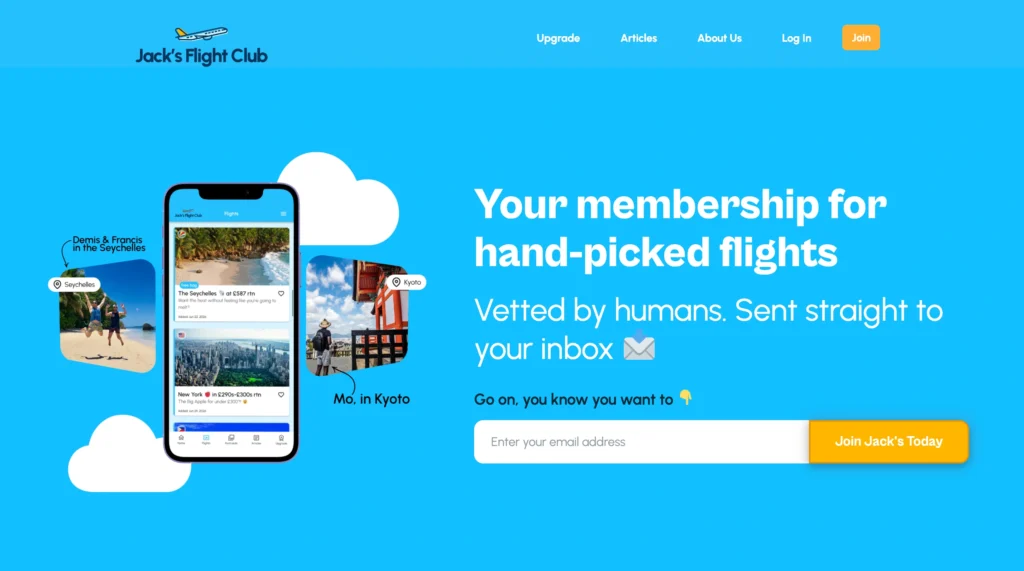
Jack’s Flight Club is one of the strongest cheap-flight alert services for travellers based in the United Kingdom and Europe.
It has also expanded its departure coverage to several major airports in the United States and Canada. The company searches for price drops, airline sales, error fares, and unusually strong international deals, then sends selected opportunities to members.
This is not a normal route tracker.
You do not use Jack’s Flight Club because you need daily updates on one specific flight. You use it because you are open to destinations and want someone else to identify worthwhile fares.
Best for
- Travellers based in the UK or Europe
- Flexible international travellers
- People interested in error fares
- Travellers open to destination ideas
- Premium-economy and business-class deal hunters
The Standout Feature
Jack’s Flight Club focuses on curated deals rather than constant automatic notifications.
The service attempts to filter out ordinary fare changes and send only prices it considers genuinely worthwhile.
Free members receive a limited selection. Paid members receive more alerts, earlier access to some deals, personalised departure-airport coverage, premium-cabin opportunities, and app access.
For US users, Jack’s Flight Club states that paid Takeoff members receive roughly seven to ten deals per week, while free Standby members receive around one or two.
Its listed annual US membership is $60, while European pricing can vary by region and currency.
The Catch
Jack’s Flight Club is only valuable when your travel plans are flexible.
You might receive a brilliant fare to Tokyo, but the available dates may not match your work schedule. Deals can also involve departures several months into the future or require leaving from a larger airport.
Smaller regional airports receive fewer useful offers because airlines operate fewer competitive international routes from them.
The paid membership renews as a subscription. Travellers should review the displayed billing conditions and cancellation terms before signing up.
Pros
- Strong UK and European deal coverage
- US and Canadian departure options
- Free and paid memberships
- Human-curated flight opportunities
- Error-fare and premium-cabin alerts
- Personalised departure airports
- Mobile app for paid members
Cons
- Poor fit for fixed destinations and dates
- Most useful features require payment
- Fewer deals from smaller airports
- The cheapest fares can sell out quickly
- Coverage quality varies by departure market
Price/Value Rating: 9.1/10 for UK and European travellers
Pick Jack’s Flight Club when you are based in the UK or Europe and can adjust your destination or dates. For a specific trip, use Google Flights instead.
Quick Comparison of the Best Flight Price Tracker Tools
| Tool | Best For | Alert Type | Free Option | Main Weakness | Rating |
|---|---|---|---|---|---|
| Google Flights | Fixed routes and dates | Exact fare changes | Yes | May miss short-lived deals | 9.7/10 |
| Skyscanner | Broad provider comparison | Route price alerts | Yes | Provider quality varies | 9.3/10 |
| KAYAK | Forecasts and advanced filters | Alerts plus book-or-wait guidance | Yes | Forecasts are not guaranteed | 9.2/10 |
| Jack’s Flight Club | UK and European deal hunters | Curated destination deals | Yes | Weak for fixed trips | 9.1/10 |
| Going | Flexible US travellers | Curated cheap-fare alerts | Yes | Primarily US-focused | 9.0/10 |
The comparison highlights an important difference.
Google Flights, Skyscanner, and KAYAK track trips you already have in mind. Going, Dollar Flight Club, and Jack’s Flight Club help you discover trips you had not considered.
Many frequent travellers should use one tool from each category.
Frequently Asked Questions About Flight Price Trackers
Do flight price trackers really save money?
They can, but only when you act on the alerts.
A tracker reduces the need to manually check the same route every day. It can notify you when the fare falls or when a strong deal appears from your departure airport.
It cannot guarantee that the price will continue falling or that the cheapest alert will remain available.
Which flight price tracker is the most accurate?
Google Flights is the strongest overall choice for monitoring a specific route because it combines current airfare searches, date comparisons, historical context, and price notifications.
Skyscanner may cover more third-party agencies, while KAYAK adds a short-term forecast.
Accuracy changes by route because the tools do not all search the same airlines and providers.
Should I set alerts on more than one tool?
Yes.
A practical setup is to track a fixed route on Google Flights and Skyscanner. Add KAYAK when you want another forecast or more advanced filters.
Flexible travellers can also subscribe to one curated service such as Going, Jack’s Flight Club, or Dollar Flight Club.
Avoid signing up for every service. Too many alerts can make it harder to identify genuinely useful deals.
Will flight trackers alert me about baggage fees?
Usually not in a complete way.
Most alerts focus on the ticket price. The fare may be basic economy and exclude a cabin bag, checked luggage, seat selection, or changes.
Before booking, compare the final fare conditions on the airline’s website.
A $350 fare including baggage may be better than a $320 fare that charges $70 for a checked bag.
Can I track business-class prices?
Yes, but support varies.
Google Flights, Skyscanner, and KAYAK allow cabin-class searches and alerts. Paid deal services may also send business- and first-class offers.
Dollar Flight Club includes premium-cabin alerts in its higher membership tier, while Jack’s Flight Club includes broader cabin-class deals for eligible paid members.
How long should I wait after setting an alert?
There is no fixed period.
Start tracking when you have a realistic idea of the route and dates. Book when the fare is affordable, the itinerary is reasonable, and the trip is confirmed.
Do not continue waiting only because the price moved down once. The cheapest booking class can disappear without warning.
Are mistake-fare alerts reliable?
The fare may be real and bookable, but the airline might cancel it.
Do not immediately purchase non-refundable hotels, tours, positioning flights, or visas after booking a suspected mistake fare.
Wait until the airline issues the ticket and allow time to see whether it honours the fare.
Do I need to pay for a flight deal membership?
Not for a fixed trip.
Google Flights, Skyscanner, KAYAK, and Airfarewatchdog provide useful free tracking.
A paid membership makes more sense when you travel several times per year, can act quickly, and are flexible about destinations. One strong international deal may recover the annual fee, but only when you would have taken the trip anyway.
Final Verdict: Which Flight Price Tracker Should You Use?
The best flight price tracker tool depends on whether you already know where you are going.
The Overall Winner: Google Flights
Google Flights remains the best free tracker for most travellers.
It is fast, easy to configure, and excellent for comparing prices across dates. You can track an entire route or focus on one specific itinerary.
Use it for fixed holidays, family visits, business trips, weddings, and other journeys where the destination is already decided.
The Best Alternative: Skyscanner
Skyscanner is worth adding when you want broader coverage of airlines and third-party travel agencies.
It may find a price that Google Flights misses, though the cheapest provider should be investigated before booking.
The Best for Booking Guidance: KAYAK
KAYAK is the strongest choice when you want the tracker to suggest whether you should book or wait.
The forecast is helpful, but it is still an estimate. Never allow a prediction to override your budget or the risk of limited availability.
The Best for US Deal Hunters: Going
Going is the top option for flexible US-based travellers who want curated international deals and mistake fares.
It is less useful for trips with exact dates and destinations.
The Best for UK and European Travellers: Jack’s Flight Club
Jack’s Flight Club offers the most relevant curated deal alerts for many travellers departing from the UK and Europe.
Its paid plan is worth considering when you take several international trips and can respond quickly to good fares.
The Best for Multiple US Departure Airports: Airfarewatchdog
Airfarewatchdog works well when you want to follow specific routes while also receiving general deals from your home airports.
The free plan is enough for basic tracking. Premium makes more sense for frequent or premium-cabin travellers.
The Best Paid Alternative: Dollar Flight Club
Dollar Flight Club is a good option for US travellers who want different membership levels and access to domestic, international, mistake-fare, and premium-cabin alerts.
The annual price is worthwhile only when your schedule is flexible enough to use the deals.
The smartest setup is simple:
Use Google Flights for your confirmed trip. Add Skyscanner or KAYAK as a second tracker. Subscribe to Going, Dollar Flight Club, or Jack’s Flight Club only when you are flexible about where and when you travel.
Set a target budget before the alerts start arriving. Once you find a reasonable fare with acceptable baggage rules, connection times, and booking conditions, buy it.
The goal is not to capture the lowest fare ever sold. It is to secure a good price without spending weeks second-guessing the decision.