
Searching for a flight should be simple. Enter the route, select the dates, compare the fares, and book the cheapest reasonable option.
That is how it looks on paper.
In reality, the same flight can appear at different prices across several platforms. One website includes checked baggage. Another shows only the base fare. A third promotes a cheap ticket involving a 14-hour overnight connection and a self-transfer between two airports.
This is why choosing the best flight booking website is not only about finding the lowest number on the screen.
A useful platform should help you compare the total trip, including:
- Flight duration
- Number of stops
- Baggage allowance
- Airport changes
- Cancellation terms
- Seat-selection costs
- Payment fees
- Travel-agency reliability
Here’s the truth about cheap flights: the cheapest ticket is often cheap for a reason.
It may be non-refundable, exclude luggage, involve separate tickets, or come from an online travel agency with weak customer support. Saving $25 is not a good deal when you later spend hours chasing a schedule-change refund.
For this list of the 7 best flight booking websites, I have included both search engines and full booking platforms.
Search engines such as Google Flights and Skyscanner help you compare options, but they often send you elsewhere to complete the reservation. Online travel agencies such as Expedia manage the transaction themselves.
That difference matters when something goes wrong.
The right platform also depends on how you travel. A flexible backpacker may love a website that combines separate airline tickets. A family travelling with children should probably avoid that exact same itinerary.
This guide explains which flight booking site works best for each type of traveller, what makes it useful, and where it can cause problems.
How I Selected the Best Flight Booking Websites
A flight search tool needs to do more than sort fares from low to high.
I evaluated each platform using the following areas.
1. Price and Fare Accuracy
The displayed price should be close to the actual amount paid at checkout.
Some flight search sites depend on prices supplied by airlines and third-party agencies. Those rates can change by the time you reach the payment page.
I also looked at whether the platform makes it easy to identify extra costs such as baggage, seat selection, payment fees, and airport transfers.
2. Search Quality
Good flight websites should allow travellers to filter by:
- Departure and arrival times
- Trip duration
- Number of stops
- Airline and alliance
- Baggage allowance
- Connecting airport
- Fare class
- Layover length
- Nearby airports
Flexible-date calendars and price graphs received extra credit because changing your dates by one or two days can sometimes make a major difference.
3. Booking Reliability
Finding a fare is only half the process.
I considered where the traveller actually completes the booking and who provides support afterward. Booking directly with an airline is generally easier to manage than buying through an unknown travel agency.
That does not mean third-party agencies should always be avoided. They can offer genuine savings. The risk simply needs to be worth the discount.
4. Customer Support
Airline schedules change. Flights get cancelled. Names are entered incorrectly. Refunds take longer than expected.
A strong platform should clearly explain who is responsible for handling these problems.
5. Best Use Case
No website is the best at everything.
Some platforms are built for flexible travellers. Others are better for complex international routes, package holidays, spontaneous trips, or direct airline bookings.
The final ranking reflects value and usability, not just the lowest advertised fare.
1. Google Flights: Best Overall Flight Search Website
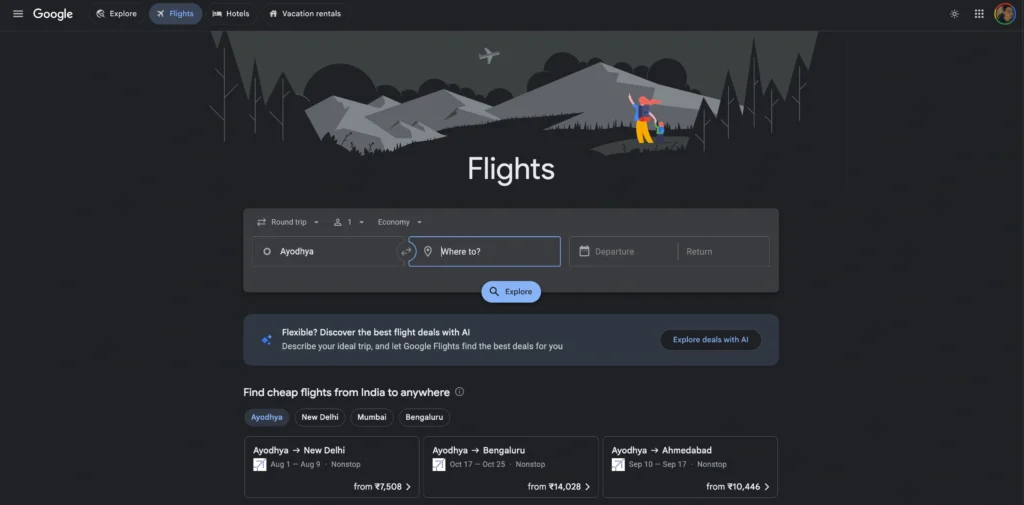
Google Flights is the best starting point for most flight searches.
It is fast, easy to understand, and excellent at showing how prices change across different dates. You can compare airlines, departure times, airports, stopovers, alliances, and trip durations without opening multiple tabs.
Google Flights usually does not sell the ticket itself. After choosing an itinerary, you are directed to the airline or another booking provider to complete the transaction.
That is not a weakness. In many cases, it is an advantage.
You get Google’s powerful search interface while still having the option to book directly with the airline.
Google Flights also allows users to track specific routes, dates, or flights and receive notifications when prices change significantly.
Best for
- Almost every type of traveller
- Flexible-date searches
- International flights
- Travellers comparing nearby airports
- People who prefer booking directly with airlines
The Standout Feature
Google Flights has one of the clearest flexible-date tools available.
Its date calendar and price graph make expensive and cheaper travel days easy to identify. This is especially valuable when you can move your departure or return date by a few days.
The Explore feature is also useful when you know your budget but have not chosen a destination. Enter your departure airport, browse the map, and compare fares to different cities.
Google also labels some options as “Best” rather than simply placing the cheapest fare at the top. This helps balance price against duration, stops, and overall convenience.
The Catch
Google Flights does not always include every airline or every available third-party fare.
Some smaller airlines and regional booking providers may be missing. The final price can also change after you click through, especially when the fare comes from an external agency.
Google is usually not responsible for your reservation. Once you book, the airline or travel agency handles changes, cancellations, and refunds.
It is a brilliant search tool, but it is not your travel agent.
Pros
- Extremely fast search results
- Excellent flexible-date calendar
- Helpful price graph
- Price-tracking alerts
- Strong filters
- Easy comparison of nearby airports
- Often allows direct airline booking
Cons
- Does not display every airline or agency
- Usually does not manage the booking
- Prices may change after clicking
- Customer support comes from the final provider
- Some budget-airline fees are difficult to compare
Price/Value Rating: 9.6/10
Pick Google Flights as your first search tool. Find the best dates and itinerary there, then compare the fare with the airline’s direct website before paying.
2. Skyscanner: Best for Flexible Travellers and Destination Inspiration
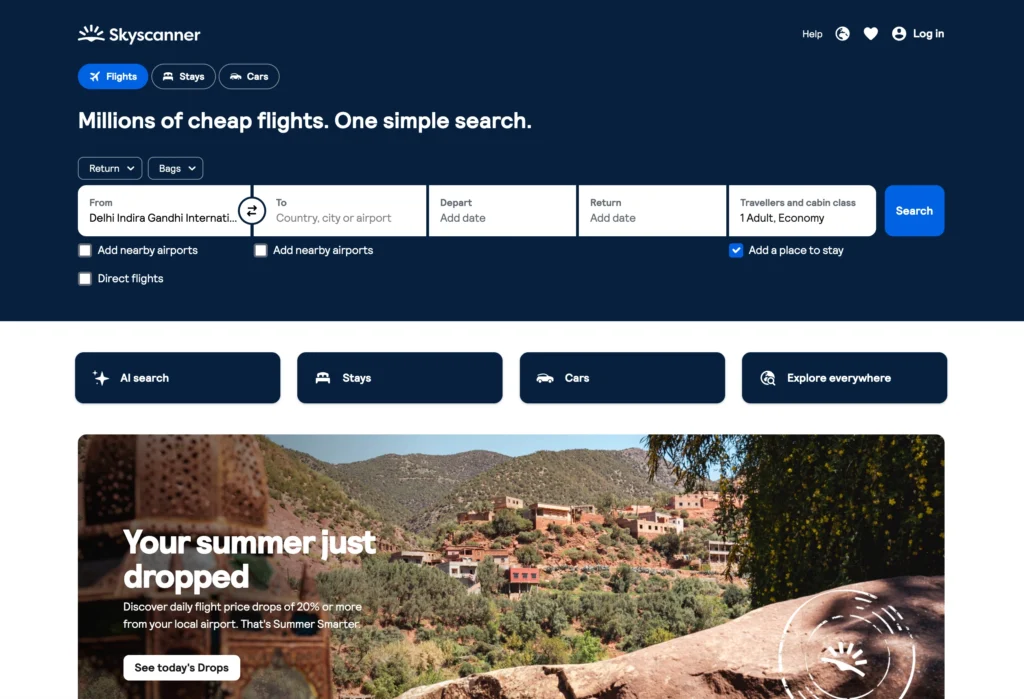
Skyscanner is one of the best flight booking websites for travellers who have flexible dates, flexible destinations, or both.
Its most useful feature is the ability to search from your chosen airport to “Everywhere.” Instead of entering a specific destination, you can browse countries and cities based on the available fares.
This works particularly well for spontaneous holidays.
Skyscanner’s Whole Month and Cheapest Month tools help travellers compare fares across a wider date range. It also offers price alerts for routes that users are not ready to book immediately.
Like Google Flights, Skyscanner is mainly a comparison platform. Depending on the result, it may send you to an airline or third-party booking agency.
Best for
- Flexible travellers
- Backpackers
- Solo travellers
- People who have not chosen a destination
- Travellers comparing budget airlines
The Standout Feature
Skyscanner’s Everywhere search is one of the easiest ways to discover where your budget can take you.
You can enter your departure airport, choose flexible dates, and compare destinations by price.
This is more useful than reading generic articles about cheap places to visit. You see fares linked to your actual departure city and travel period.
The Whole Month search can also reveal large price differences between neighbouring dates.
The Catch
Some monthly prices are estimates based on fares recently found by users rather than guaranteed live quotes.
You may select a promising date only to discover that the current fare is higher. This is more common on less frequently searched routes.
The quality of the final booking also depends heavily on the provider you select.
Skyscanner may display a low fare from a small online travel agency. That agency, not Skyscanner, will usually manage your ticket. Before choosing the cheapest result, check the provider’s reputation, cancellation terms, and support options.
Pros
- Excellent Everywhere search
- Strong flexible-date tools
- Whole Month price comparison
- Price alerts
- Broad airline and agency coverage
- Useful for discovering budget destinations
- Simple mobile app
Cons
- Calendar prices may not always be live
- Often redirects to another provider
- Cheapest agencies may have weaker support
- Baggage costs are not always obvious
- Final price can change at checkout
Price/Value Rating: 9.3/10
Pick Skyscanner when your destination or dates are flexible. It is one of the strongest tools for travel inspiration, but investigate the final booking provider before paying.
3. KAYAK: Best for Advanced Flight Comparison
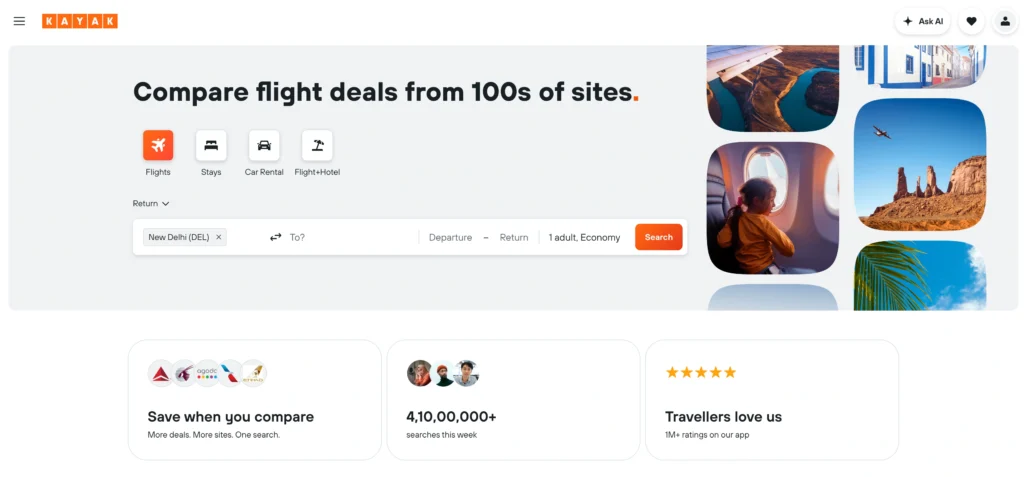
KAYAK is built for travellers who like having more control over their search.
It compares flight prices from airlines and travel websites, while providing detailed filters for stops, airlines, times, airports, cabin classes, trip duration, and baggage.
The interface can feel more technical than Google Flights, but that extra detail is useful when you are dealing with a complicated route.
KAYAK also offers Price Alerts and Hacker Fares. A Hacker Fare combines separate one-way tickets, sometimes from different airlines, instead of using a normal return ticket from one carrier.
This can reduce the price or create better flight times.
It can also create additional risk.
Best for
- Experienced travellers
- Complex international itineraries
- Travellers comparing multiple airports
- People willing to use separate tickets
- Users who want detailed filters
The Standout Feature
KAYAK is excellent at finding creative flight combinations.
A normal return search may show an expensive ticket from one airline. KAYAK may discover that flying outbound with one carrier and returning with another costs less.
Its Hacker Fares can be useful when airlines do not offer competitive return pricing.
The platform also includes useful decision-making tools, including fare alerts and price-related guidance.
The Catch
Separate tickets need to be treated carefully.
When two flights are booked independently, one airline may have no responsibility for the other. If the outbound airline changes its schedule, the return ticket or connecting flight may not be protected.
The same problem applies to self-transfer itineraries.
You may need to collect your luggage, pass through immigration, change terminals, and check in again. If the first flight is late, the next airline may treat you as a no-show.
KAYAK identifies many of these arrangements, but travellers must understand what they are accepting.
Pros
- Detailed flight filters
- Strong price-comparison tools
- Hacker Fares
- Price alerts
- Good multi-airport search
- Useful for complex routes
- Broad travel-provider coverage
Cons
- Interface can feel busy
- Separate tickets carry more risk
- Often redirects to third-party agencies
- Self-transfers require careful planning
- Cheapest itinerary may not be the safest
Price/Value Rating: 9.1/10
Pick KAYAK when you want more control and are comfortable evaluating complicated itineraries. Families and inexperienced travellers should be cautious with Hacker Fares and self-transfers.
4. Momondo: Best for Finding Lesser-Known Cheap Fares
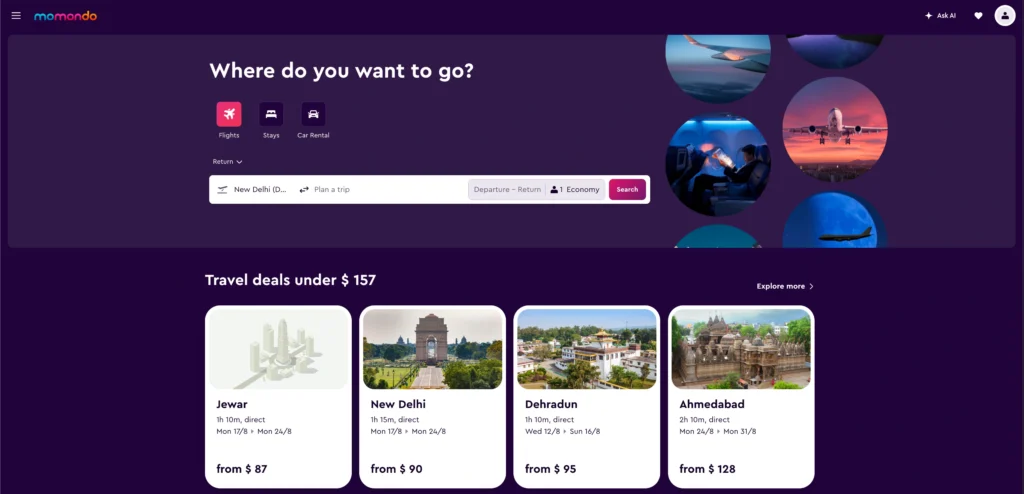
Momondo is a flight comparison website that searches airlines and online travel agencies for available fares.
It is especially useful as a second opinion.
After searching Google Flights or Skyscanner, run the same route through Momondo. It sometimes finds smaller agencies, unusual airline combinations, or cheaper options that do not appear as prominently elsewhere.
Momondo also offers Mix & Match fares, which combine tickets from different suppliers when that arrangement produces a better result.
The search results can be sorted by cheapest, quickest, or a balance between price and convenience.
Best for
- Bargain hunters
- Experienced international travellers
- People comparing several search engines
- Flexible travellers
- Users willing to investigate smaller agencies
The Standout Feature
Momondo is good at uncovering fares from booking providers you may not find on your first search.
This can be valuable on international routes where several airlines and agencies sell the same itinerary.
Its visual price tools also make it easier to compare nearby dates and understand whether the selected fare is unusually high or low.
Momondo should not necessarily replace Google Flights. It works best alongside it.
The Catch
The cheapest provider is not always the best provider.
Momondo may highlight an attractive rate from a travel agency with poor support, restrictive conditions, or additional payment charges. The saving can disappear once baggage or service fees are included.
Mix & Match bookings may also require separate payments to different providers.
That creates more reservation numbers, more cancellation rules, and more people to contact if the itinerary changes.
Pros
- Finds fares from many travel providers
- Useful as a second search engine
- Mix & Match combinations
- Good price visualisation
- Cheapest and fastest sorting options
- Strong international search coverage
Cons
- Lesser-known agencies may appear
- Final prices can change
- Customer support depends on the provider
- Mixed bookings may be difficult to manage
- Baggage rules require separate checking
Price/Value Rating: 8.8/10
Pick Momondo when you want to search beyond the most obvious options. Use it to discover fares, but avoid questionable agencies unless the saving is large enough to justify the risk.
5. Expedia: Best for Flight and Hotel Packages

Expedia is different from Google Flights, Skyscanner, KAYAK, and Momondo because it is primarily an online travel agency rather than just a comparison engine.
You can book flights directly through Expedia and manage them through the same account. The platform also sells hotels, rental cars, activities, cruises, and complete holiday packages.
Its strongest use case is bundling.
A flight may not be cheaper on its own, but combining it with a hotel can reduce the total trip cost. Expedia also provides free flight price tracking for registered One Key members.
Best for
- Families booking complete holidays
- Travellers buying flights and hotels together
- People who want one itinerary
- Existing Expedia customers
- Travellers planning resort holidays
The Standout Feature
Expedia makes it easy to package several parts of a trip together.
You can book a flight, hotel, car rental, and activities within one platform. This reduces the number of websites and confirmation emails you need to manage.
Package pricing can sometimes offer better value than purchasing the same flight and hotel separately.
The One Key programme also connects eligible Expedia bookings with rewards and member benefits.
The Catch
Expedia is not automatically cheaper than booking directly.
You need to compare the full package against the airline and hotel websites. A large-looking package discount does not always mean the final total is the lowest available.
Changes can also become more complicated when several travel products are bundled.
For flight disruptions, the airline controls the aircraft and schedule, but Expedia may control the ticket. This can lead to situations where each company directs you to the other.
Direct airline booking is often easier when the price difference is small.
Pros
- Flights, hotels, cars, and activities in one place
- Strong package-booking tools
- Flight price tracking
- One Key membership benefits
- Easy itinerary management
- Useful for family holidays
- Established customer-support infrastructure
Cons
- Flight-only prices are not always the lowest
- Package changes can be complicated
- Airline and agency responsibilities may overlap
- Rewards on flights may be limited
- Direct booking can provide easier support
Price/Value Rating: 8.7/10
Pick Expedia when you are booking a full holiday rather than only a flight. For a simple flight reservation, compare its price against the airline’s website before completing payment.
6. Kiwi.com: Best for Unusual Routes and Self-Transfer Flights
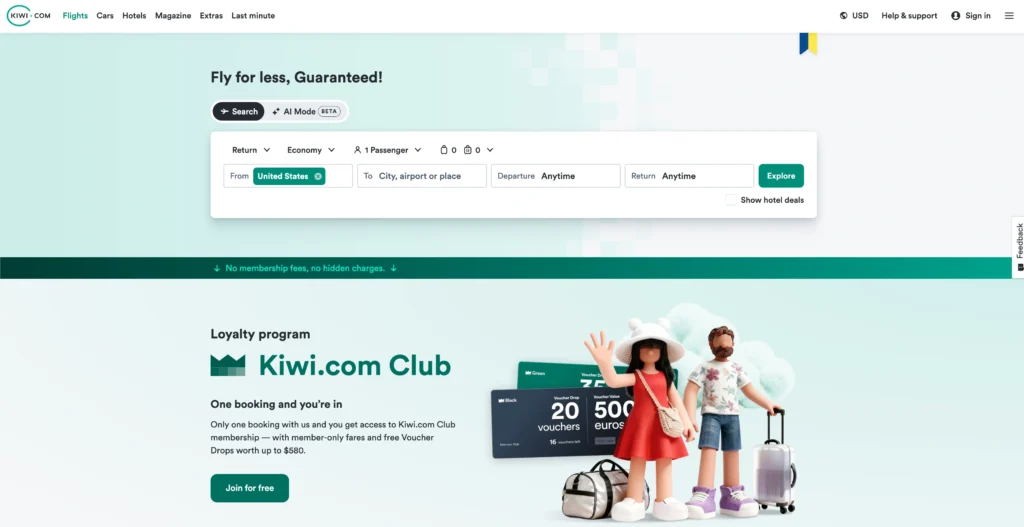
Kiwi.com is one of the most creative flight booking websites on this list.
Instead of showing only traditional airline partnerships, it can combine flights from carriers that do not normally work together. This allows Kiwi.com to create routes that may not appear on an airline website or a standard booking platform.
For example, it might combine a low-cost airline from Delhi to Bangkok with a separate regional airline from Bangkok to an island destination. The two airlines may have no relationship with each other, but Kiwi.com packages the flights into one suggested itinerary.
This approach can produce lower prices and more route options.
It can also create serious complications.
Best for
- Backpackers
- Flexible solo travellers
- People visiting smaller destinations
- Travellers comfortable with self-transfers
- Users looking for unusual route combinations
The Standout Feature
Kiwi.com can connect airlines that traditional booking systems do not combine.
Its search technology is especially useful when flying between smaller cities, islands, secondary airports, or regions served mainly by low-cost carriers.
The Nomad search option is also helpful for multi-city trips. You can enter several destinations, and the platform attempts to arrange them in a cheaper or more practical order.
This can save a lot of manual work when planning a trip across several countries.
Kiwi.com is also useful when you know the cities you want to visit but do not care which one comes first.
The Catch
Many Kiwi.com itineraries involve self-transfers.
A self-transfer means the flights are booked as separate tickets. You may need to:
- Collect checked luggage
- Pass through immigration
- Change terminals
- Check in again
- Go through security again
- Meet the next airline’s check-in deadline
If the first flight is delayed, the next airline may not help you because the tickets are unrelated.
Kiwi.com offers different types of disruption support on eligible bookings, but the exact protection depends on the product and conditions selected. Do not assume every itinerary includes full replacement-flight coverage.
Visa rules can also become complicated. Even if you are only changing planes, collecting luggage may require you to enter the country.
Kiwi.com is not the right platform for tight connections, travellers with limited mobility, families carrying several bags, or anyone who wants a stress-free journey.
Pros
- Finds unusual airline combinations
- Useful for hard-to-reach destinations
- Strong multi-city search tools
- Nomad feature can optimise route order
- Often includes low-cost carriers
- Can uncover genuinely cheap itineraries
Cons
- Many results involve self-transfers
- Separate tickets increase disruption risk
- Baggage rules may differ between flights
- Transit visas may be required
- Changes and refunds can become complicated
- Not ideal for inexperienced travellers
Price/Value Rating: 8.2/10
Pick Kiwi.com when a normal flight search cannot find a practical or affordable route. Leave a large connection buffer and avoid checking luggage when using separate-ticket combinations.
7. Hopper: Best for Mobile Price Predictions and Fare Tracking

Hopper is designed mainly for travellers who prefer planning and booking through a mobile app.
Its biggest selling point is price prediction.
The app analyses fare patterns and advises users whether they should book now or wait for a possible price drop. It uses simple signals to indicate whether prices are expected to rise or remain relatively stable.
Hopper also allows users to watch trips and receive notifications when fares change.
This makes it appealing to travellers who do not want to repeatedly search the same route every day.
Best for
- Mobile-first travellers
- People booking several weeks or months ahead
- Travellers who want fare alerts
- Users uncertain about when to book
- Flexible leisure travellers
The Standout Feature
Hopper turns flight-price tracking into a simple decision: book now or wait.
Most travellers understand that airfare changes, but they do not know whether the current price is good.
Hopper attempts to solve that problem by presenting a recommendation based on historical and current pricing patterns.
The calendar also highlights cheaper and more expensive travel dates. This helps users quickly see whether shifting a trip by one or two days could reduce the fare.
Hopper sometimes offers optional products that allow customers to freeze a price or add flexibility to a booking. These can be useful when you need more time to decide, although they come at an extra cost.
The Catch
Price predictions are estimates, not guarantees.
A fare can rise even when the app recommends waiting. It can also fall after Hopper recommends booking.
Airfare depends on demand, airline pricing systems, seat availability, competition, events, and many other factors. No app can predict every price movement correctly.
Hopper’s optional add-ons can also increase the total cost. A cheap fare may become less competitive after adding price-freeze products, cancellation flexibility, or other services.
Support is another area to consider. When you book through Hopper rather than directly with the airline, Hopper becomes part of the process for changes and refunds.
The app can be useful for research, but you should compare the final price with the airline before paying.
Pros
- Clear price-prediction guidance
- Useful fare alerts
- Easy-to-read calendar
- Strong mobile experience
- Helpful for flexible dates
- Optional price-freeze features
- Reduces repeated manual searching
Cons
- Predictions are not guaranteed
- Optional extras can raise the total price
- Mainly designed around the mobile app
- Third-party support can complicate changes
- Not always cheaper than direct booking
- Less useful for urgent travel
Price/Value Rating: 8.4/10
Pick Hopper when you want help deciding when to book. Treat its prediction as useful guidance, not a promise that the fare will move in a particular direction.
Quick Comparison of the Top 5 Flight Booking Websites
| Website | Best For | Main Strength | Biggest Weakness | Value Rating |
|---|---|---|---|---|
| Google Flights | Overall flight research | Fast search and excellent date tools | Usually does not manage bookings | 9.6/10 |
| Airline Websites | Reliable booking | Easier changes and direct support | Weak for comparing competitors | 9.4/10 |
| Skyscanner | Flexible destinations | Everywhere and Whole Month search | Final provider quality varies | 9.3/10 |
| KAYAK | Advanced travellers | Detailed filters and creative combinations | Separate tickets increase risk | 9.1/10 |
| Momondo | Finding hidden fares | Searches many smaller providers | Cheapest agencies may have weak support | 8.8/10 |
This table does not mean Google Flights will always find the cheapest ticket or that direct airline booking will always be the best deal.
The right choice depends on the trip.
Google Flights is the strongest place to begin. Skyscanner is better when you are flexible about the destination. KAYAK works well for complicated searches. Direct booking is usually safer once you have selected the flight.
Frequently Asked Questions About Flight Booking Websites
Which flight booking website usually has the cheapest fares?
No single website consistently offers the cheapest airfare.
Google Flights, Skyscanner, KAYAK, and Momondo can all find competitive options. Kiwi.com may uncover cheaper separate-ticket combinations, while Expedia can provide value through flight-and-hotel packages.
The final fare depends on the route, airline, dates, baggage, currency, and booking provider.
Run the same search through at least two comparison websites and then check the airline’s own price.
Is it cheaper to book flights directly with an airline?
Sometimes it is, and sometimes it is not.
An online travel agency may offer a private fare or temporary discount. However, the airline’s website may include better baggage, seat-selection, or change conditions.
Even when direct booking costs slightly more, it can provide better value during a disruption.
For an expensive international ticket, I would usually choose the airline when the difference is small.
Are third-party flight booking websites safe?
Large platforms are legitimate, but booking through any third party adds another company between you and the airline.
The biggest risk is not usually payment fraud. It is customer service when a flight changes or a refund is required.
Before booking with a smaller agency, check its change fees, cancellation rules, customer-support methods, and recent customer feedback.
Avoid sending money by bank transfer or through unofficial payment links.
Why does the flight price change after I click it?
Airline prices can change quickly because seat inventory updates constantly.
A search engine may display a fare that was available moments earlier. By the time you reach the airline or agency, that fare class may have sold out.
The first price may also exclude baggage, seat selection, payment charges, or currency-conversion costs.
Always judge the fare shown on the final payment page.
Which flight website is best for flexible dates?
Google Flights is the strongest overall option for date flexibility because its calendar and price graph are fast and easy to understand.
Skyscanner is also excellent, especially when using its Whole Month or Cheapest Month tools.
Hopper is useful when you want a mobile app to track prices and recommend whether to book or wait.
Should I use a self-transfer flight to save money?
Only when the saving is meaningful and the connection time is generous.
Self-transfers are separate bookings. If the first flight is delayed, the second airline may not rebook you.
Allow enough time to collect luggage, pass through immigration, change terminals, check in again, and clear security.
Avoid a self-transfer when travelling with children, on an important business trip, or before a cruise or fixed event.
When is the best time to book a flight?
There is no universal day or hour that guarantees the lowest fare.
The better strategy is to start tracking prices early, understand the normal fare range, and book when you see an acceptable price.
For major holidays, festivals, school breaks, and popular international routes, waiting until the final weeks is risky.
For flexible trips, use fare alerts and compare nearby dates.
Do flight comparison websites include baggage fees?
Not always.
Some search results show a basic economy fare that includes only a small personal item. Others include cabin baggage but not checked luggage.
Click into the fare details and confirm:
- Cabin-bag allowance
- Checked-bag allowance
- Weight limits
- Seat-selection charges
- Meal inclusions
- Change and cancellation conditions
A ticket that costs $30 more but includes baggage may be the better deal.
Final Verdict: Which Flight Booking Website Should You Choose?
The best flight booking website depends on whether you are searching, comparing, or ready to buy.
Those are three different stages.
The Overall Winner: Google Flights
Google Flights is the best place to start most flight searches.
It is fast, clear, and particularly strong for comparing dates, airports, airlines, stops, and travel times. It helps you understand the available options without forcing you to book through one travel agency.
Use it to identify the best itinerary, then check the airline’s direct price.
The Best Place to Book: The Airline’s Website
Once you have selected a flight, direct booking is usually the safest option.
It reduces the number of companies involved and often makes cancellations, schedule changes, baggage purchases, and seat selection easier.
A small saving through an unknown agency is rarely worth the additional risk.
The Best for Flexible Travellers: Skyscanner
Skyscanner wins when you know where you are departing from but have not chosen a destination.
Its Everywhere search and flexible-month tools make it one of the best flight booking websites for spontaneous holidays and budget travel.
The Best for Advanced Search: KAYAK
KAYAK is the strongest choice for travellers who want detailed filters and creative combinations.
Its Hacker Fares can reduce prices, but separate tickets should be booked only when you understand the risks.
The Best for Hard-to-Find Routes: Kiwi.com
Kiwi.com is useful when traditional airline partnerships cannot create the journey you need.
It works particularly well for secondary cities and multi-country routes involving low-cost carriers. Just be cautious with self-transfers and short connections.
The Best for Mobile Price Tracking: Hopper
Hopper makes sense for travellers who want an app to monitor fares and offer booking-timing guidance.
Its predictions are helpful, but they should be treated as estimates rather than guarantees.
The Best for Packages: Expedia
Expedia is the most practical option when you want to combine a flight with a hotel, car rental, or activity.
Its flight-only fares are not always special. Its real strength is organising a complete holiday under one account.
The smartest strategy is simple.
Search on Google Flights, check Skyscanner or KAYAK for anything you may have missed, and compare the final itinerary on the airline’s website.
When comparing prices, include baggage, seats, payment fees, travel time, connection risk, and customer support.
A flight that costs $20 more but avoids a self-transfer, includes a checked bag, and provides direct airline support is often the cheaper trip in the long run.